Rosie AI
Your family's helpful AI Assistant
Parent-guided chats, PIN or email kid logins, schedules, and prepaid credits—help without losing control.
Powered by Grok 4.6 — a current top-tier model.

Built for real households
Clear tools for parents. Friendly help for kids. One shared assistant.
You set the rules
Age-aware blocks, school-night hours, spend caps, and a pause switch. Rosie stays inside what you pick.
Kids profiles
Each child gets a profile. PIN on a shared tablet, or their own email login.
One prepaid wallet
$2 to try, then $5–$50 packs. One wallet for the house, not a monthly seat per kid.
Chat and pictures
Grok 4.6 for homework and household answers. High-quality image generation when you turn it on.
Parents stay in the loop
Invite a co-parent. Read the chats. Email both of you when something is blocked or credits run low.
Family memory
Rosie remembers what you want her to remember. Parents can review and edit.
See Rosie in action
Chat, education mode, profiles, safety tiers, and parent review—plus schedules, co-parent invites, and kid logins in the app.
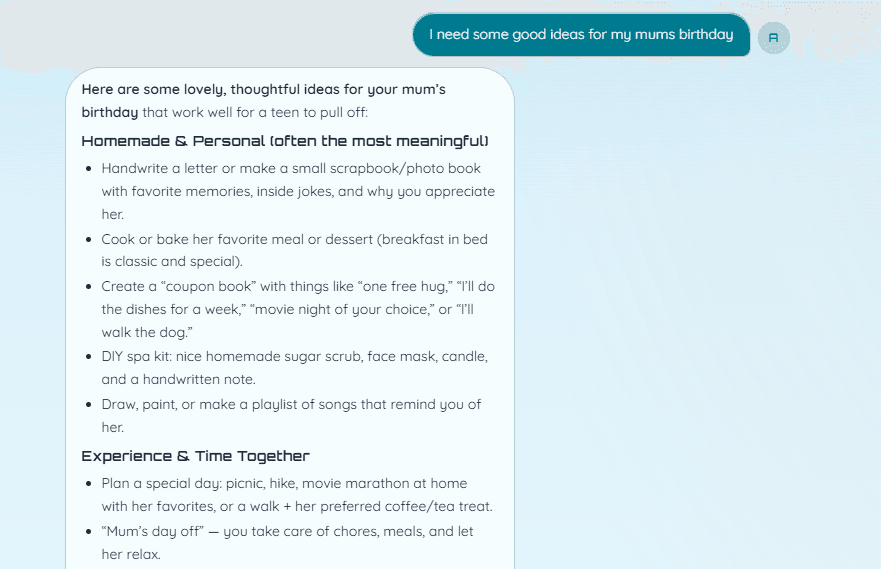
Chat with Rosie
Kids ask for homework help, birthday ideas, and everyday answers.
Who it's for
One household assistant—built so parents stay in charge and kids feel helped.
For parents
Set the rules, review chats, invite a co-parent, and top up credits when you need them. Visibility without hovering over every message.
- Age-aware tiers, schedules, dollar caps, and pause
- Invite a co-parent—one wallet, shared console
- Email and optional push when something is blocked
- Export or wipe a child’s history when you need to
For kids
A friendly helper for homework, ideas, and curiosity—inside the boundaries your family chooses. No endless scroll. No surprise settings.
- Warm, age-aware chats with Rosie
- PIN on a shared tablet, or their own email login
- High-quality pictures when a parent turns them on
- Voice dictation and shortcut chips for daily asks
- A larger kids view—Think Harder stays off for under 8
How it works
Three short steps from signup to a helpful home assistant.
- 1
Start your family
Sign up, set your timezone and a parent PIN. Rosie adds $2 starter credit so you can try chat before buying.
- 2
Add profiles
Create kid profiles with PINs, allowed hours, spend caps, and an optional email login for their own device.
- 3
Chat with Rosie
Homework, stories, and high-quality images—parents can review, export, or wipe. Invite a co-parent when you’re ready.
Prepaid packs
One wallet for the whole house—not a monthly seat per kid. New households get $2 to try—no card needed. Then simple top-ups, or turn on auto-reload when the wallet is low.
$5
A small top-up to keep chatting.
$10
A gentle start for trying Rosie with your family.
$25
The everyday pack for regular chats and images.
$50
More runway for a busy household month.
Need a hand?
Families deserve a human path when something feels off. Email us and we'll help with accounts, billing, or safety questions.
hello@rosieai.xyz
Meet Rosie
Optimistic help for your household—supervised, prepaid, and $2 to try with no card required.